Welcome aboard!
wikime is a personal encyclopedia. It is created by AI based on your personal archives (starting with Google Mail, which is many people's longest running and most extensive personal archive), and you can then change it at will — edit, delete, add — as well as query it with the help of AI.
An experience is worth more than a thousand words, so to get the hang of it... here's God's wikime. By all means play around with it, be God for a few minutes, then continue if you so wish. God's wikime playground
How will your wikime look like?
In order to proceed you'll need to get your Google Mail archive. This is done by using Google Takeout. Once you get it (per Google docs, it usually takes several hours), share it with wikime. Soon thereafter you will receive your wikime.
To get started simply follow the steps in this guide: click Next to proceed.
Note: DRAFT: This build keeps up to 100 messages per calendar year, 2,000 in total (received and sent, not spam/trash, human mail first). Mail past that cap is counted, not loaded. DRAFT: Starter is $29 once and includes 12 months. Renewal is $24 a year. The archive wiki is $6 a month after a build quoted in dollars and hours. Chat includes 30 questions a month on Starter, 100 on the archive.
Need AI assistance?
Just paste this into an assistant (ChatGPT, Gemini, Claude, or another). It can talk you through the clicks. If it can use your browser, it can do the clicks while you watch.
Help me finish setting up wikime. Explain each click, then wait for me. If you can use my browser, do the clicks while I watch. Stop if a page does not match this list.

wikime is a personal encyclopedia built from my Google Mail archive. I can edit the pages and ask questions. It does not read my live inbox.

Do this, in order:
1. Open https://takeout.google.com
2. Click Deselect all, so no product is included.
3. Tick only Mail. Leave everything else off. Do not open the blue buttons under Mail.
4. Click Next step. Under Transfer to, choose Add to Drive. Do not choose a download unless Drive cannot take the file.
5. Choose Export once, file type .zip, file size 50 GB, then Create export.
6. Wait for the email from Google. That can take hours. Do not sign in to wikime before that file exists.
7. The file should be in my Google Drive, or linked from that email if it was a download (.zip, sometimes .mbox or .tgz).
8. Return to the wikime tab and press Sign in with Google. Use the same account as Takeout. If Google says the app is not verified, that is expected in this test: click Advanced, then Go to wikime (unsafe). wikime is not asking to read live Gmail.
9. Choose the Mail zip. Do not share it as “anyone with the link.” If Drive will not share, open “Cannot share from Drive?” and upload the zip.
10. The next page says the wiki is building. I can close the tab. When it is ready, wikime deletes its copy of the export and drops Drive access.

Privacy is the “What we do with that file” link on the first wikime screen. Use that page. Do not invent a different policy.

Do not send the archive anywhere else. Do not change the file’s sharing. Questions: ops@selahq.com
Copied.
Open Google Takeout.
Click Deselect all.
The point is to export only Google Mail (Gmail), which is done in the next step.
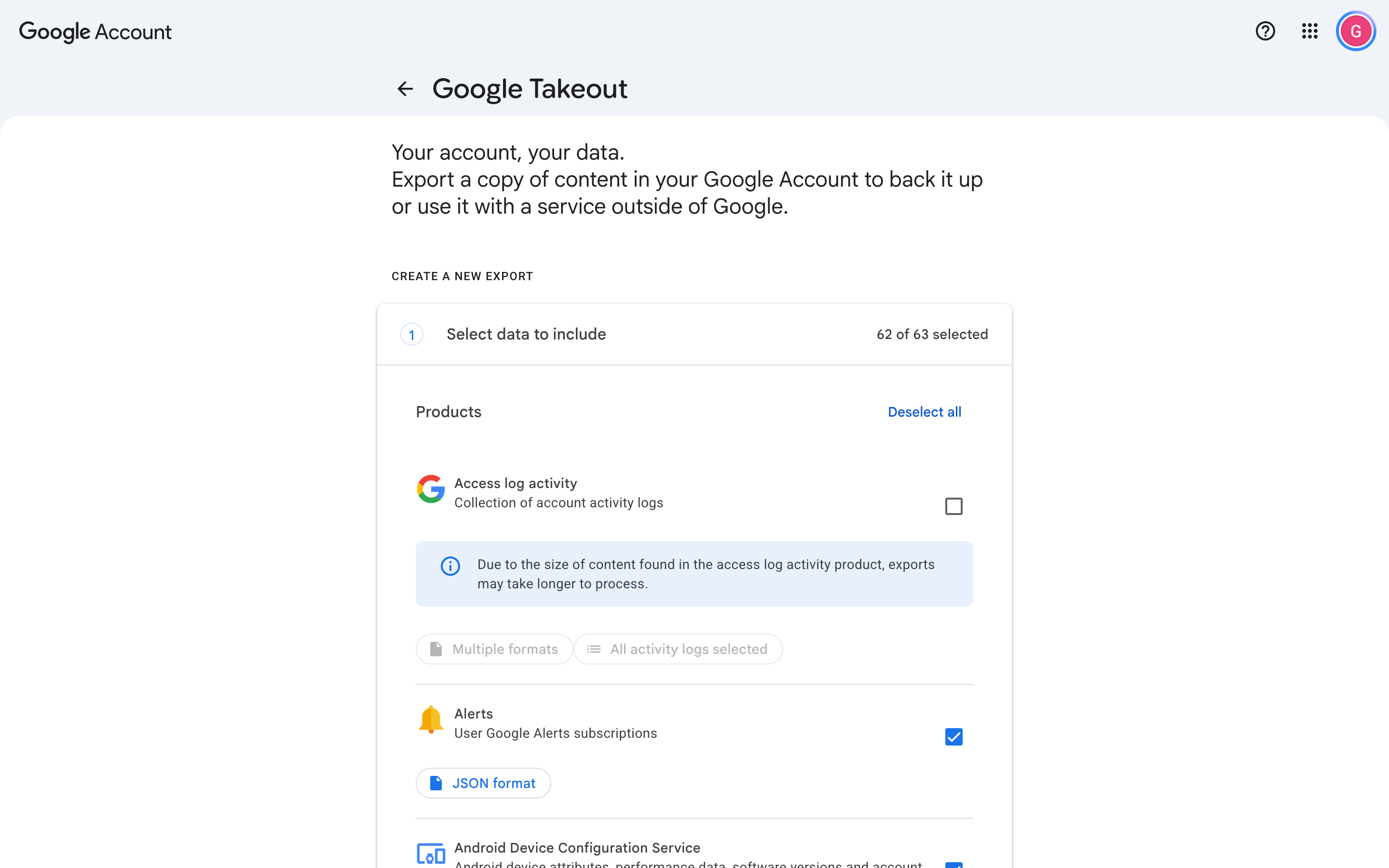
Tick only Mail
Tick Mail. Leave everything else off.
No need to click on the blue buttons under Mail.
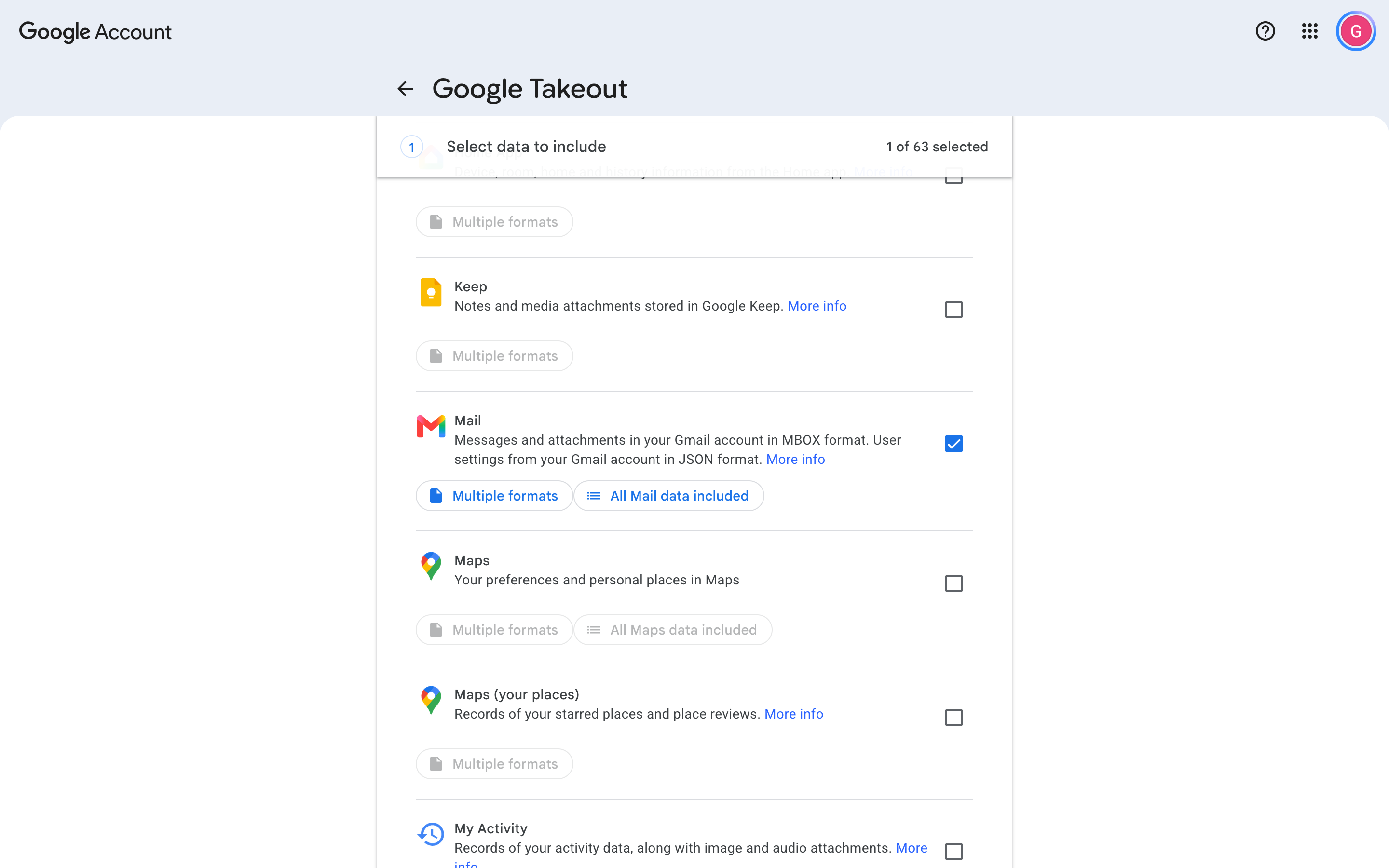
Send the file to Drive
On the Takeout page, click Next step.
Open the Transfer to menu. Choose Add to Drive.
Do not choose a download.
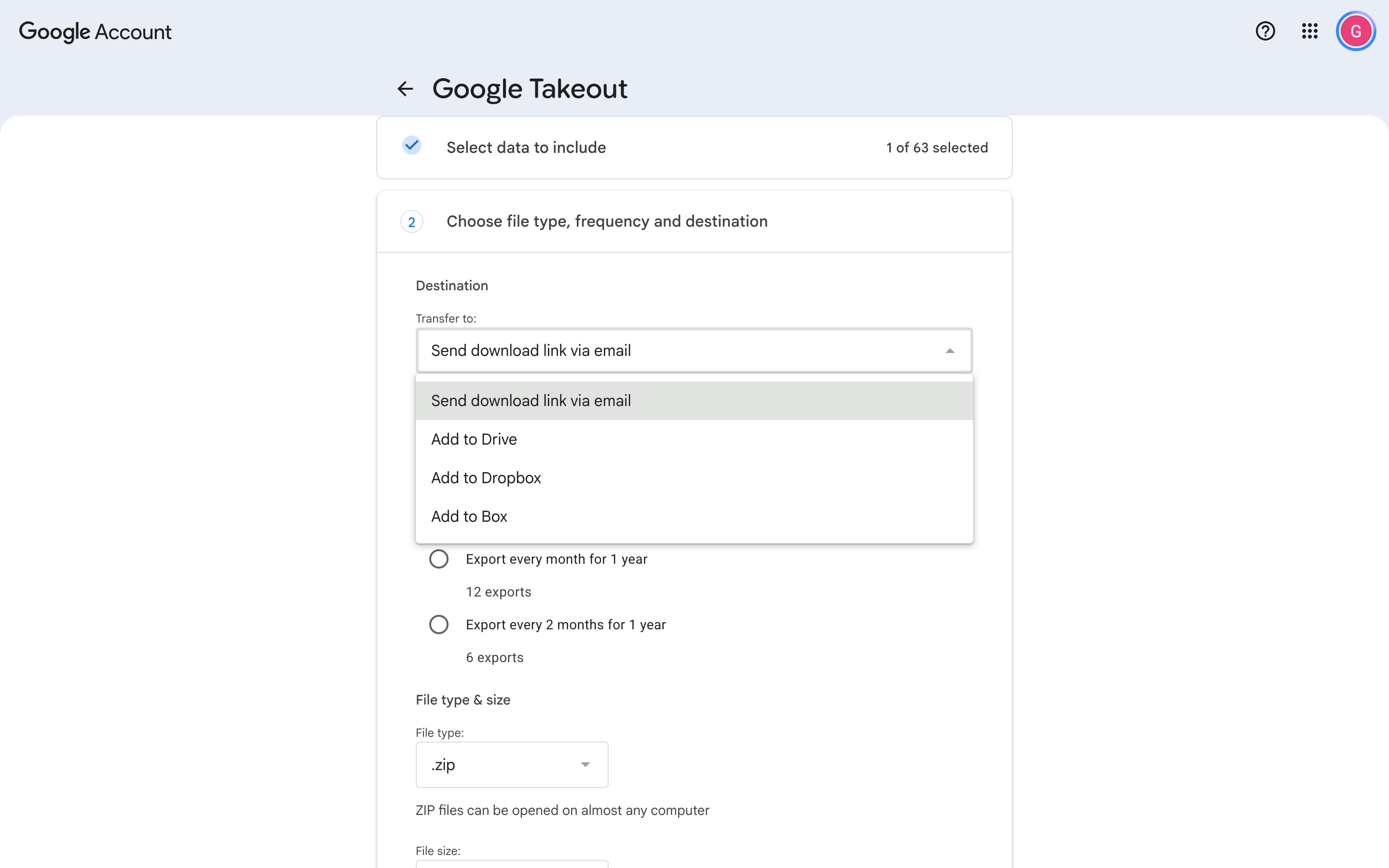
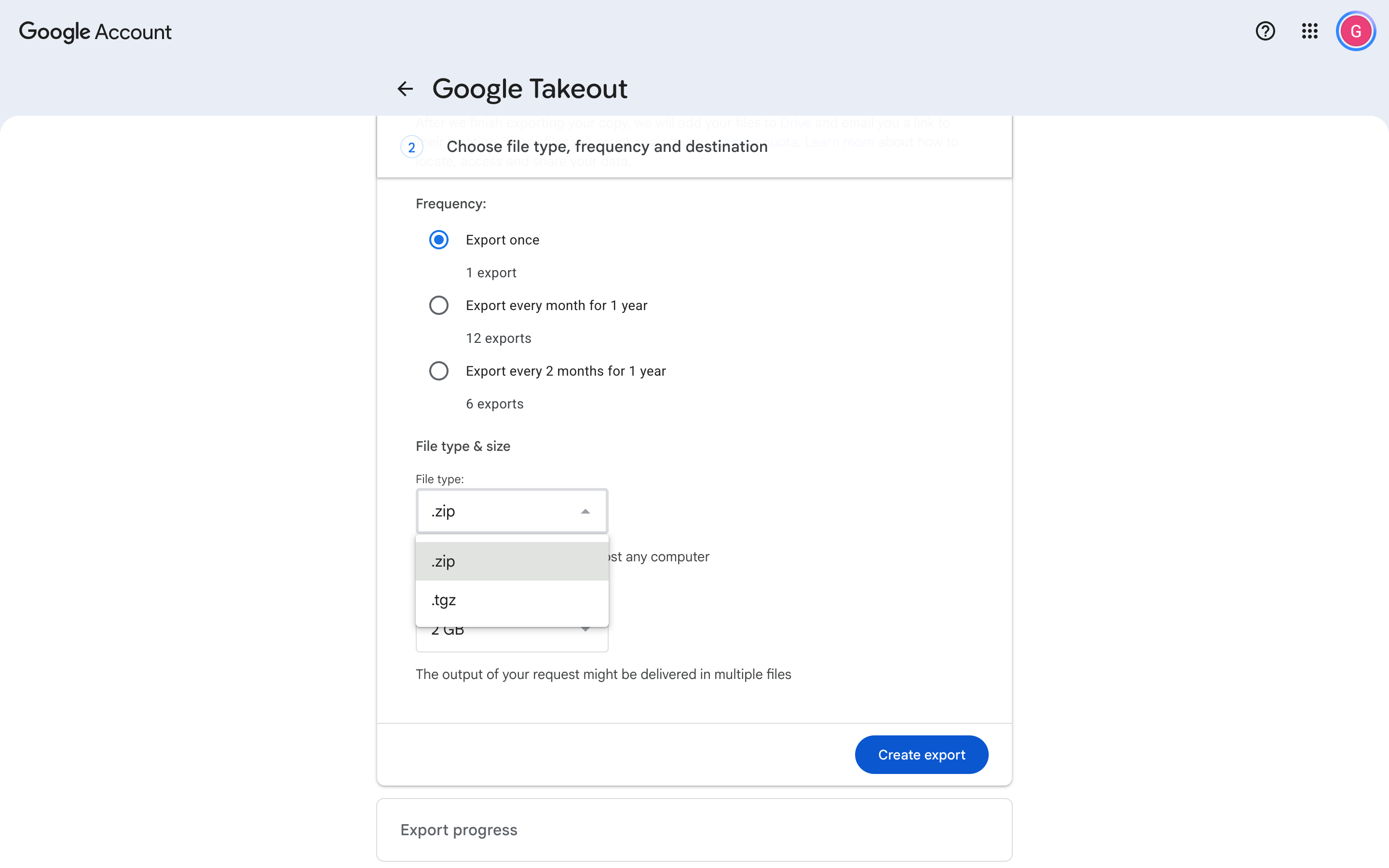
Make one zip
On that same screen:
- Choose Export once.
- File type: .zip.
- File size: 50 GB. That is the largest split, so the mail is one file when it fits.
- Press Create export.
Wait for Google’s email
Google sends you an email when the file is ready. That can take hours and rarely even days.
You can close the Takeout tab. Come back to this wikime onboarding page when the email arrives to complete the process (don't worry, it's almost done).
Confirm you got your Gmail archive from Google Takeout
Tick both. Next stays off until you do.
If this is a problem
The email is from Google Takeout. Check spam and Promotions. It often takes hours.
If nothing arrives, open Google Takeout and look at the export. If it failed, create it again: Mail only, Add to Drive, .zip, 50 GB.
If this is a problem
Drive: open Google Drive and look for a Takeout folder or a .zip. Leave it private. Do not choose “anyone with the link.”
Download: if you did not choose Add to Drive, the Takeout email links to the file. Keep it. After sign-in, open “Cannot share from Drive?” and upload that zip.
If you have neither, stay here. The later steps need the file.
Sign in to wikime
After you sign in, you might see a box that says Allow cookies. Press the blue button.
If you do not see it, that is fine.
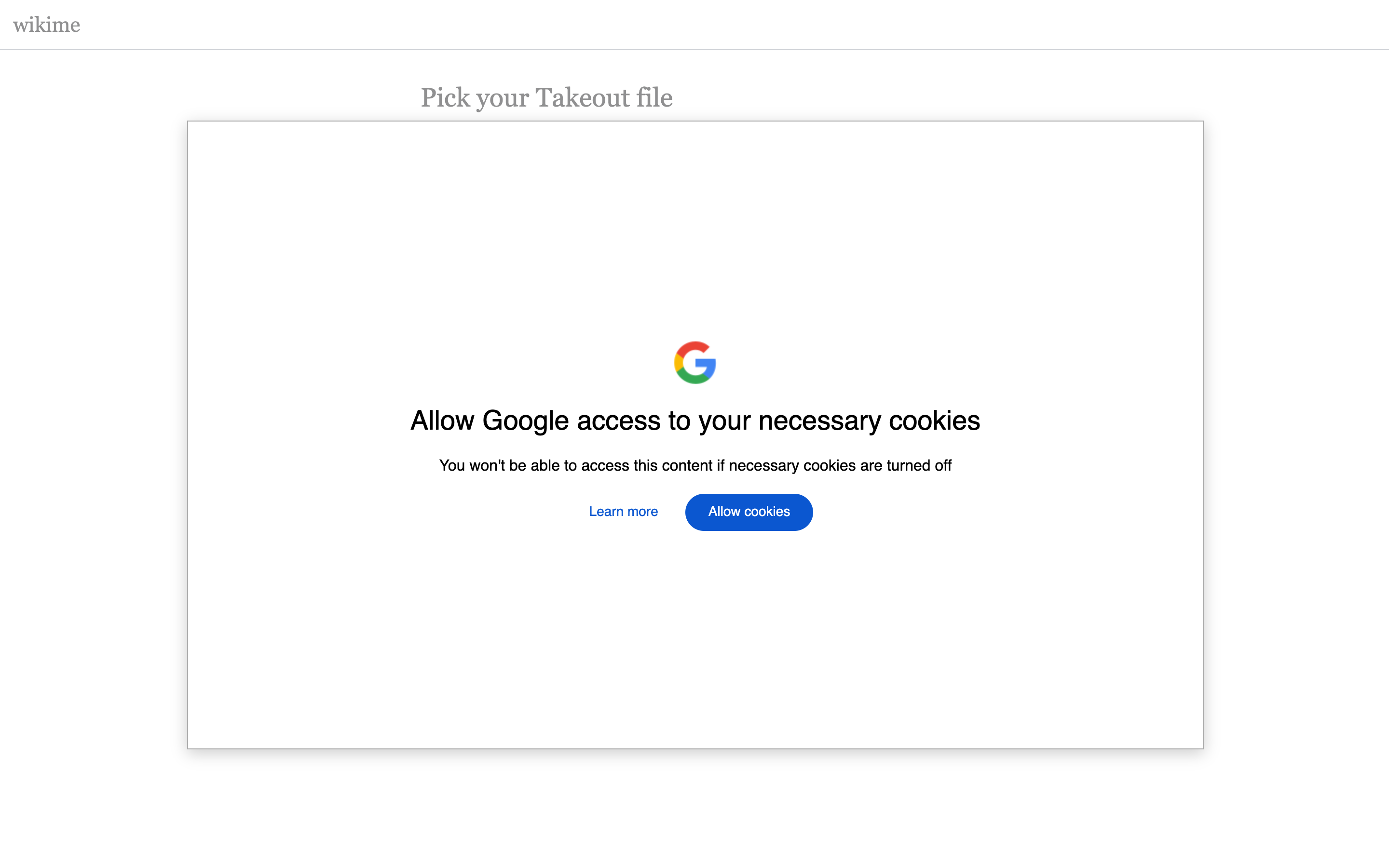
Note: Google will say the app isn’t verified. That is expected and correct. Click Advanced, then Go to wikime (unsafe). Why Google says the app isn’t verified
Choose the zip
After sign-in, this page appears. Press Choose Takeout file.
Pick the Mail zip. Press Select.
Do not share the file as “anyone with the link.”
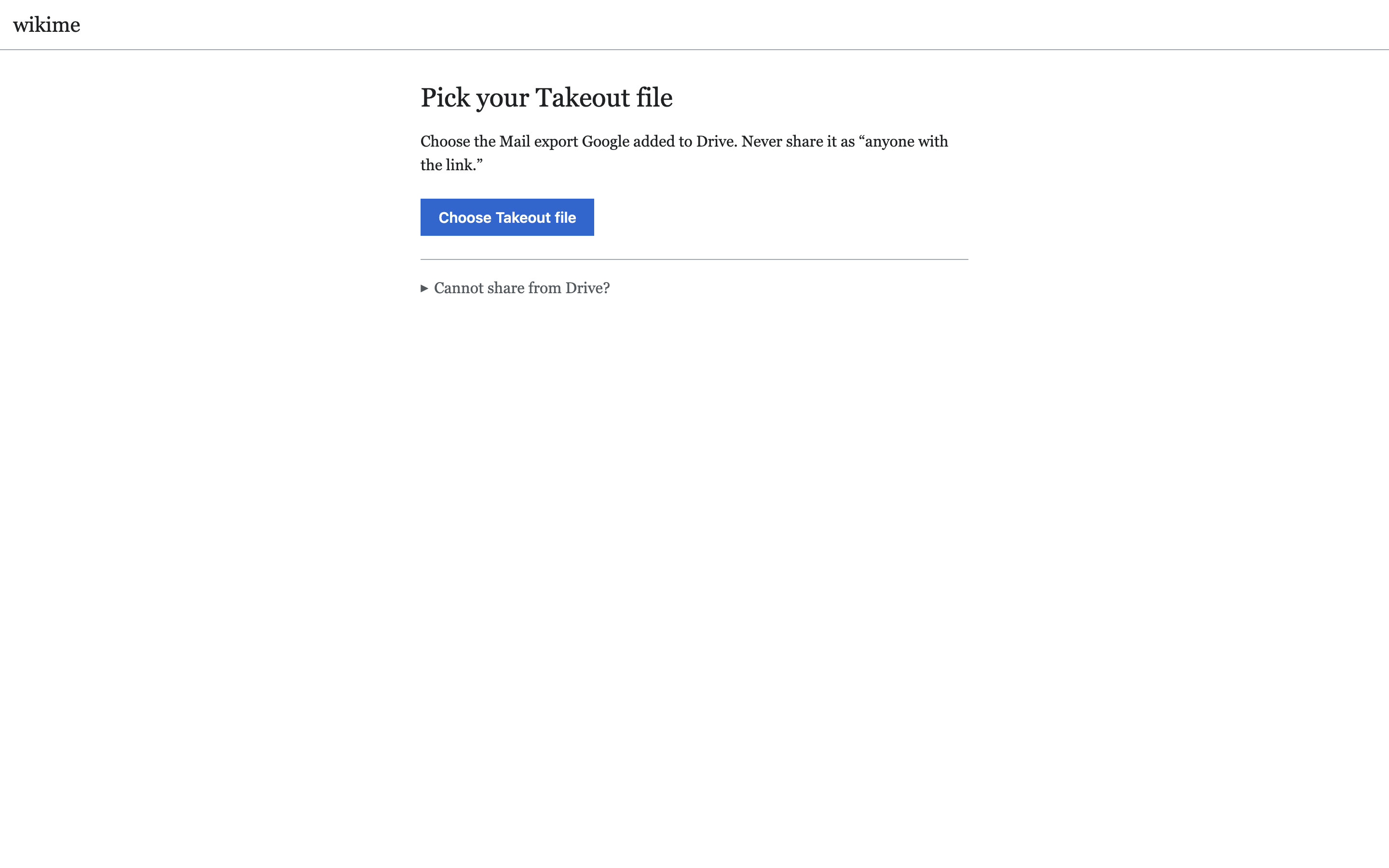
If you cannot use Drive, open Cannot share from Drive? on that page and upload the zip.
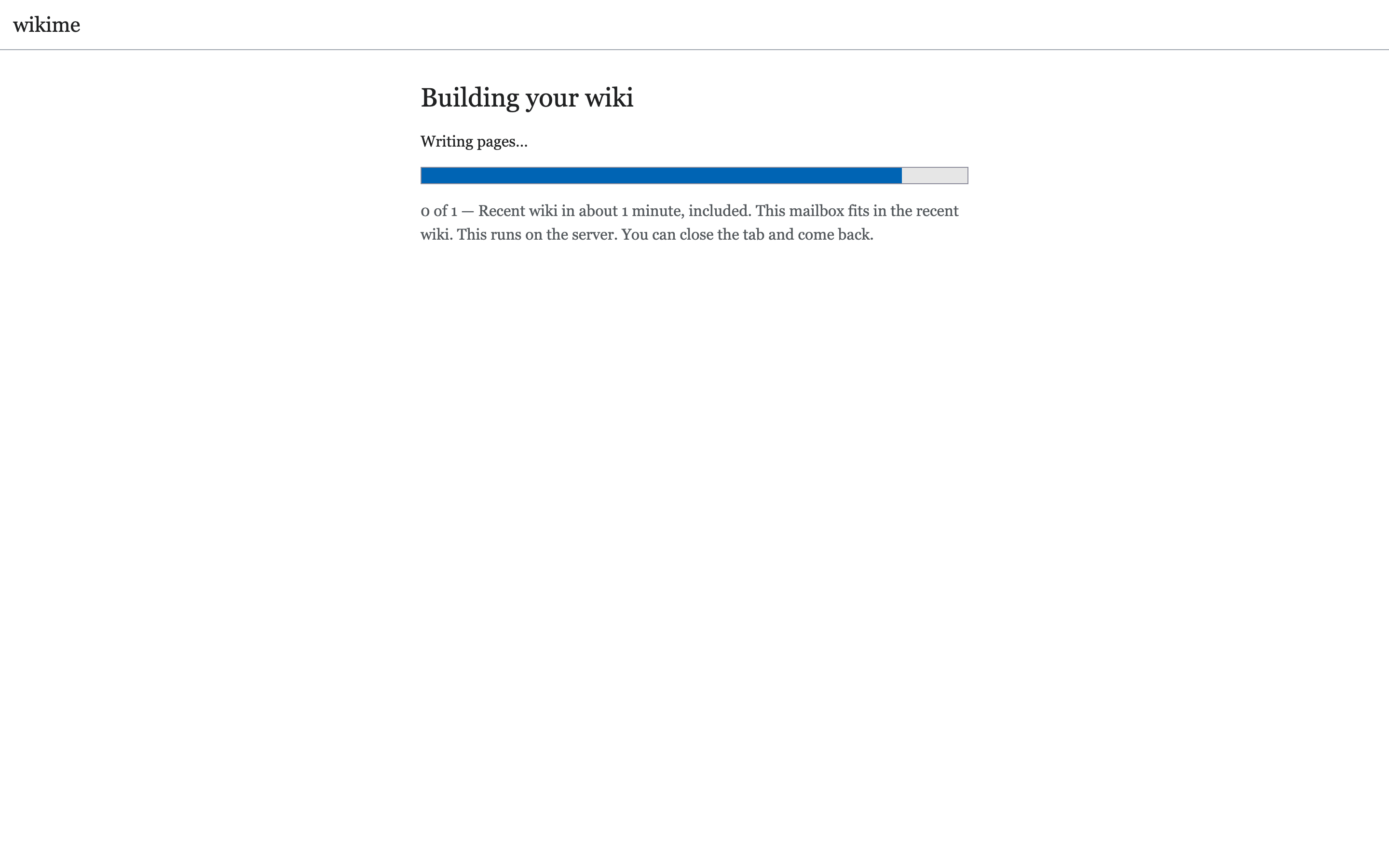
Sit back and relax — your wikime is being built
This can take a few minutes. You'll get an email once it's done.
The End
Enjoy your wikime!
Please share any feedback using the red Feedback button at the top of your wiki.